
Imagen | Changelog
v25.1

Culling out of beta ๐ŸŽ‰

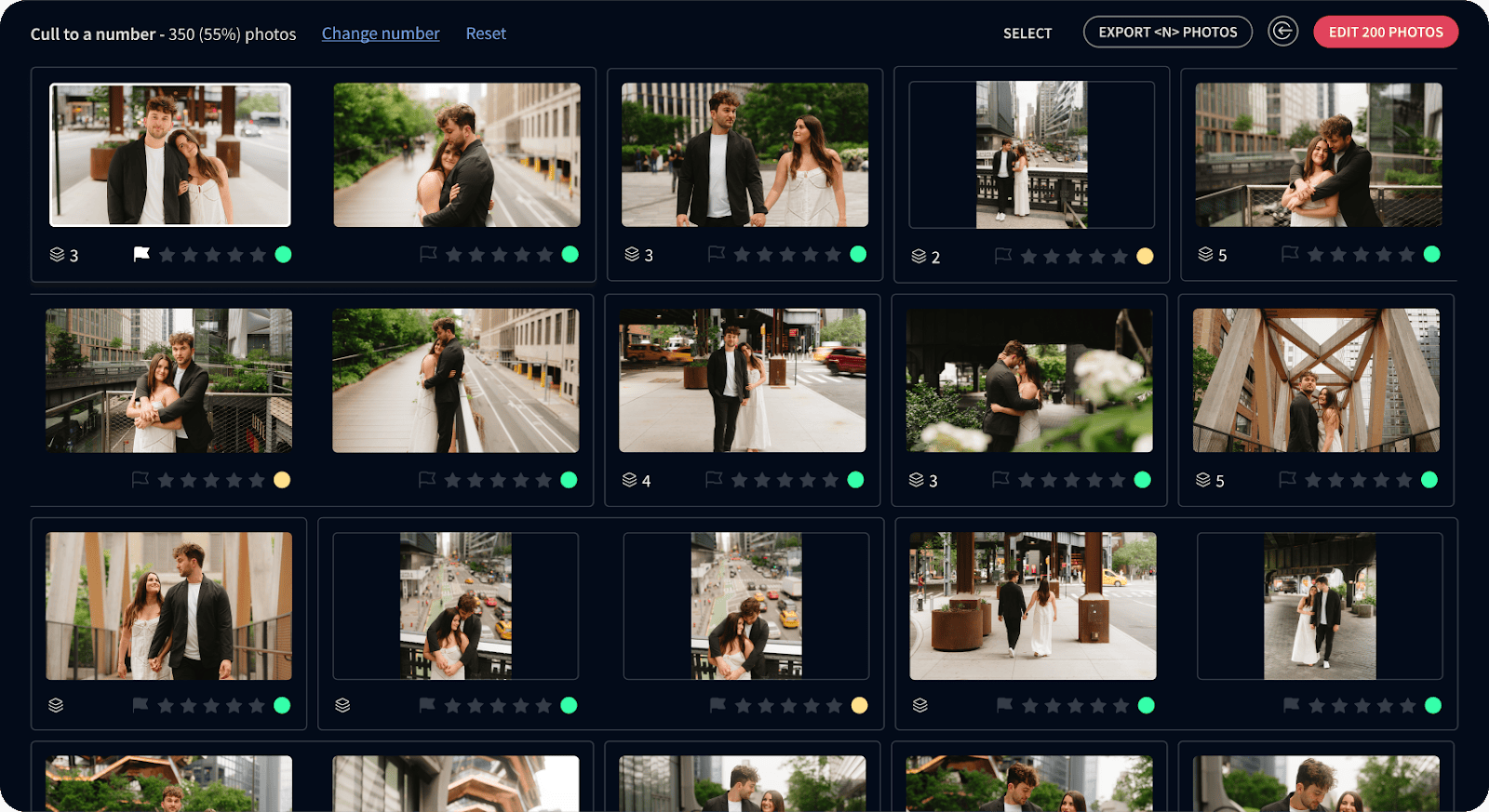
Great news! Culling is officially out of beta. With an annual or monthly subscription, you can now enjoy unlimited culling.

Thanks to your excellent feedback, we added features you asked for and made culling even better:

  • Zoom in and out of previews
  • Sort your results
  • Show and hide filters
  • Filter by camera
  • And more!

A smoother way to upload from Lightroom catalogs

It's now easier to choose photos marked in your Lightroom Catalog and filter them so you upload only the ones you want to edit.

Brazilian Imageners: Invite friends with WhatsApp

For our Brazilian Imageners, you can now invite a friend to Imagen through WhatsApp.

Improvements (5)
Bug Fixes (1)
v25.0

Even easier to pick the best AI tools for your project

In the last few Imagen releases, we improved your workflow and made finding AI tools easier. Now, we've improved your experience so you can easily see which AI tools can't be used together in the same project and can explore all the AI tools from any photography type.

Get perfectly exposed views with Window Pull

No more overexposed windows in your real estate shots. Our new Window Pull AI tool finds, masks, and edits windows for balanced interior and exterior lighting.

Rolling out a new look for Imagen

While everything is still in its familiar place, we started polishing up your workspace to make it more attractive and easier to use. The first step is changing the background color to a deep blue. Enjoy!

Improvements (2)
Bug Fixes (1)
v24.16

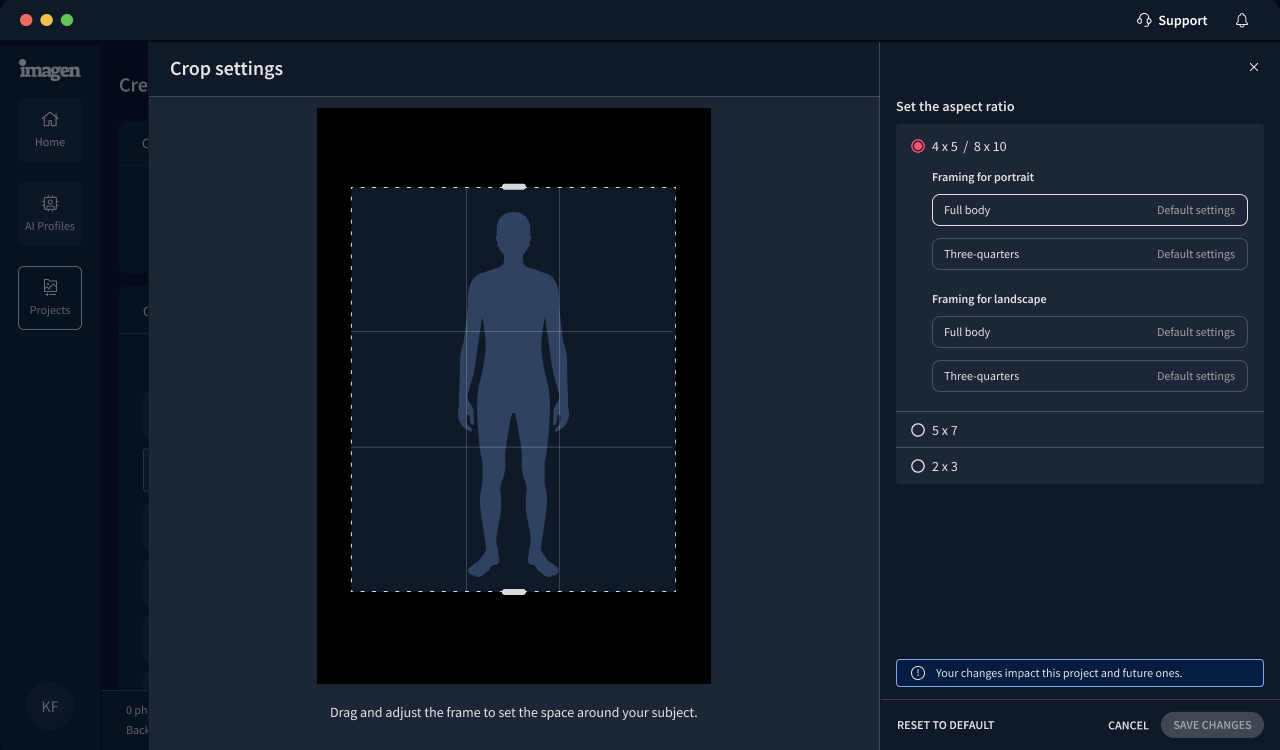
New: Headshot Crop for consistent, uniform portraits

Get perfectly aligned headshots every time with our new Headshot Crop AI tool. It automatically positions subjects for consistent head sizes across your entire batch, making it perfect for yearbooks and professional headshot delivery. Try it for free during our beta period.

More workflow improvements coming your way

We improved our workflow to make getting the best results in your projects easier. First, you choose your photos and their file format. Then, you choose your profile and photography type to automatically get a tailored list of AI tools for your project. Also, you'll see a GIF preview of how the AI tool works as soon as you hover over it.

More changes are on the way! Stay tuned. We're slowly rolling out this new flow, so you might not see it yet in your Imagen app.

Improvements (3)
Bug Fixes (2)
v24.15

New! Deliver your photos straight from Imagen

You can now deliver your final photos directly from Imagen, making your post-production workflow even smoother. Export your edited photos as JPEGs to a folder or publish them straight to a Pic-Time gallery. Choose what works best for you: deliver your photos right away, or review them first in Lightroom Classic and then deliver them.

You can deliver photos from any project uploaded from a Lightroom Classic catalog.

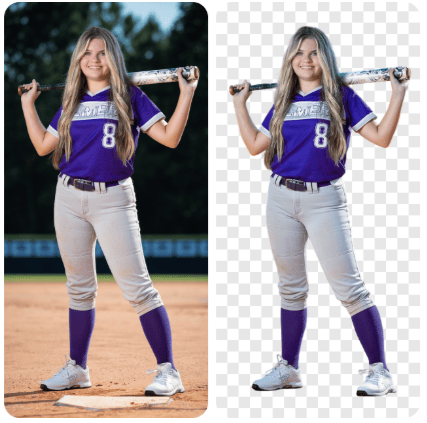
Introducing Background Mask: Make your subjects pop

We're happy to announce that our Background Mask AI tool is now in beta, ready for you to try for free. Similar to the Subject Mask, the Background Mask is designed to make the subject stand out by adjusting the background, giving it a slightly different look. You can try both for a more dramatic, bold effect with stronger contrast. Like our other AI tools, you can change settings in the Background Mask to match your style.

Improvements (2)
Bug Fixes (2)
v24.14

New support for Brazilian Portuguese and Korean

We now support Korean and Brazilian Portuguese in the Imagen app.

Welcome to Imagen. We hope you enjoy it.

Imagen์— ์˜ค์‹  ๊ฒƒ์„ ํ™˜์˜ํ•ฉ๋‹ˆ๋‹ค. ์ฆ๊ธฐ์‹œ๊ธฐ ๋ฐ”๋ž๋‹ˆ๋‹ค.

Bem-vindo ao Imagen. Esperamos que vocรช goste.

Improvements (1)
Bug Fixes (2)